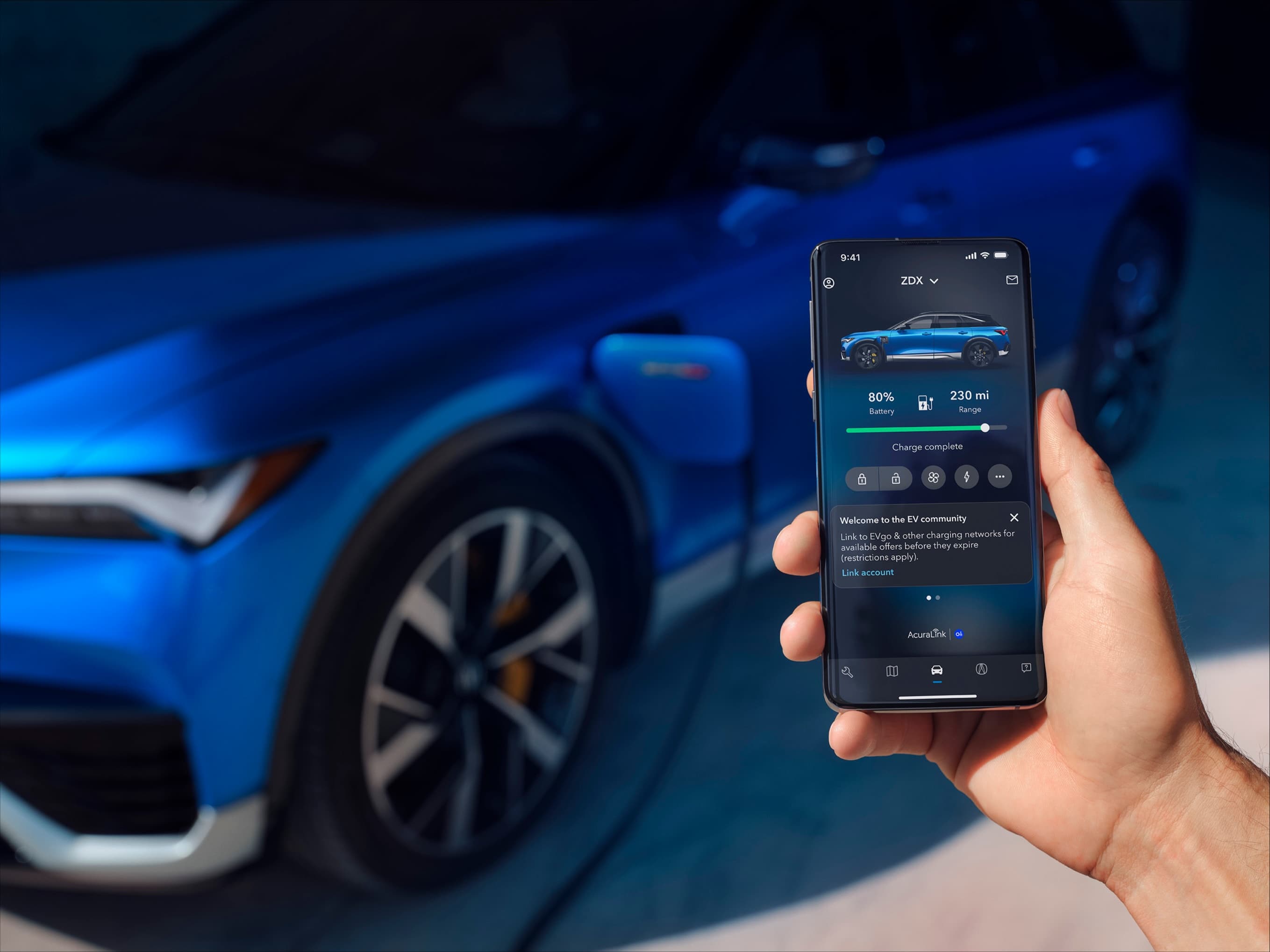
Building a luxury automaker's first EV app from zero
This case study is password protected. You'll only need it once.
Acura's first
EV app
Two legacy apps' worth of features, plus everything new an EV needs, designed from scratch against a fixed launch date.
01 — The brief
Fold every feature from two legacy apps into one, add EV features nobody had designed yet, and hit a launch date that couldn't move.
02 — My role
Sole design lead. I set the experience vision and IA, built a 400+ component design system, and led 5 designers and 3 researchers.
- Team
- 5 designers3 researchers
- Partners
- Honda UX3 Accenture teams
- Design
- Feb–Oct 2023
- Launch
- Apr 2024
The challenge
One seamless app. Two legacy apps' worth of features. A brand-new EV experience. A fixed launch date.
Acura's first all-electric vehicle, the ZDX, was announced in August 2023. The app had to merge every feature from the existing Acura and Honda apps with new EV capabilities like remote charging control and live charger availability, into one experience. It had to work for long-time Acura owners and first-time EV drivers alike.
What drivers told us
We ran 4 rounds of research with over 50 current and prospective EV drivers. Two needs shaped every decision that followed.
EV drivers live in the app
Every EV owner we spoke with used a companion app. Gas-car owners were far less likely to download one.
→ This led to:
The app had to be central to ownership, not an add-on, so charging and remote commands sit front and center.
New EV drivers need reassurance
Drivers coming from gas cars were unsure what owning an EV involves: home charging, finding a public charger that actually works, what happens if the battery runs low. That unfamiliarity turned charging and range into real anxiety.
→ This led to:
Charging status, nearby chargers, and roadside help are always one tap away, with plain-language guidance on what to expect.
Key decisions
Navigation in drivers' language
Merging Acura and Honda app features meant every label and tab was up for debate.
The problem
The two legacy apps used competing labels for overlapping things ("Car" for commands and charging, "Vehicle" for maintenance and monitoring), and internal jargon kept creeping into names. After years with the legacy apps, the old structure was everyone's default.
We considered
Merging monitoring into the command dashboard, and giving brand and EV content their own tabs.
What we chose
Keep the dashboard focused on commands and charging, and move monitoring into "Manage vehicle." Fold brand and EV content into one "Acura hub" with room to grow into shopping. Use plain names drivers would recognize, including for the app itself. We won agreement with option surveys, several usability rounds, and best-in-class examples.
Result
Five tabs, each named for what drivers are trying to do.
A dashboard built for both hands
The most-used screen in the app was also the most contested.
The problem
Stakeholders wanted an oversized car image, commands stacked on the right, and a dense status grid. The image wasn't interactive, and right-side controls favor right-handed users.
We considered
The requested layout, or a smaller car with commands centered in one row.
What we chose
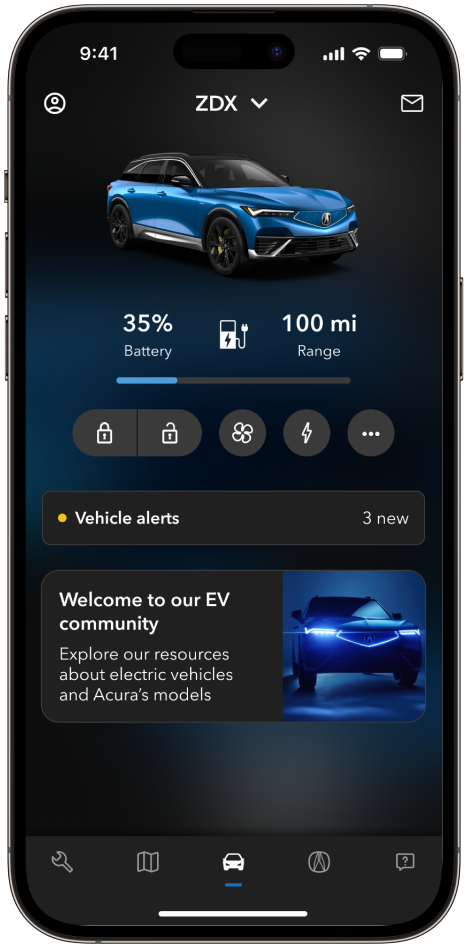
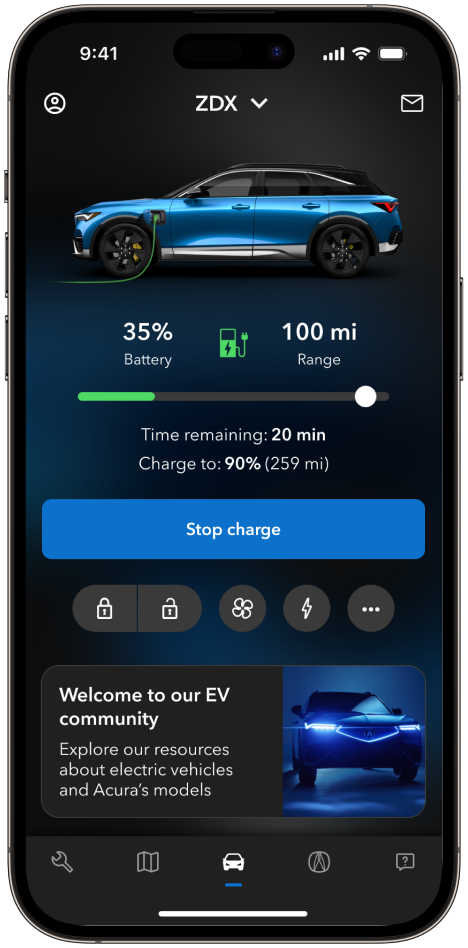
The focused layout. We scaled down the car image, centered the commands for either hand, and reserved the space below for promo cards. Because commands can lag, each one shows real progress, with timing messages shaped with engineering, then a confirmation and an updated vehicle status.
Result
Stakeholders wanted a large hero image of the car. I walked them through the driver research and showed that drivers came to the dashboard to act, not admire. We kept the car visible but smaller, and gave marketing a dedicated promo slot.
Port-level charging data on a phone screen
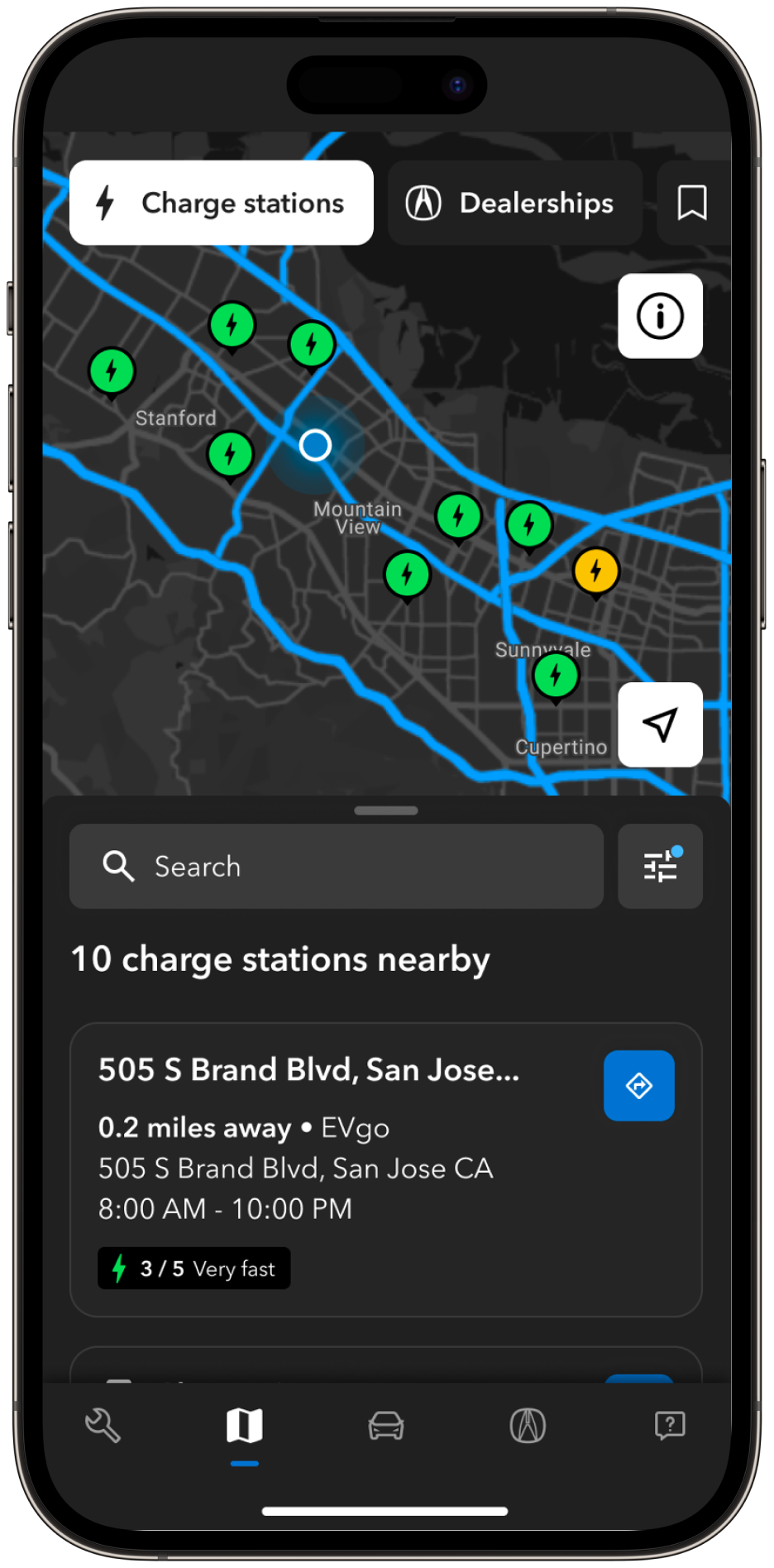
A regular map shows where a station is. EV drivers need to know if a charger will work for them.
The problem
Drivers need to know which connector is free, how fast it charges, what plug it uses, and what it costs, across several charging networks, all on a phone.
What we chose
Layer it so each tap answers the next question: availability-colored pins, then a station summary, then connectors grouped by station, then full pricing and steps to start charging. Missing data gets clear "No availability data" states instead of blanks.
Result
Drivers pick a specific charger with confidence before they leave.
Inside the app
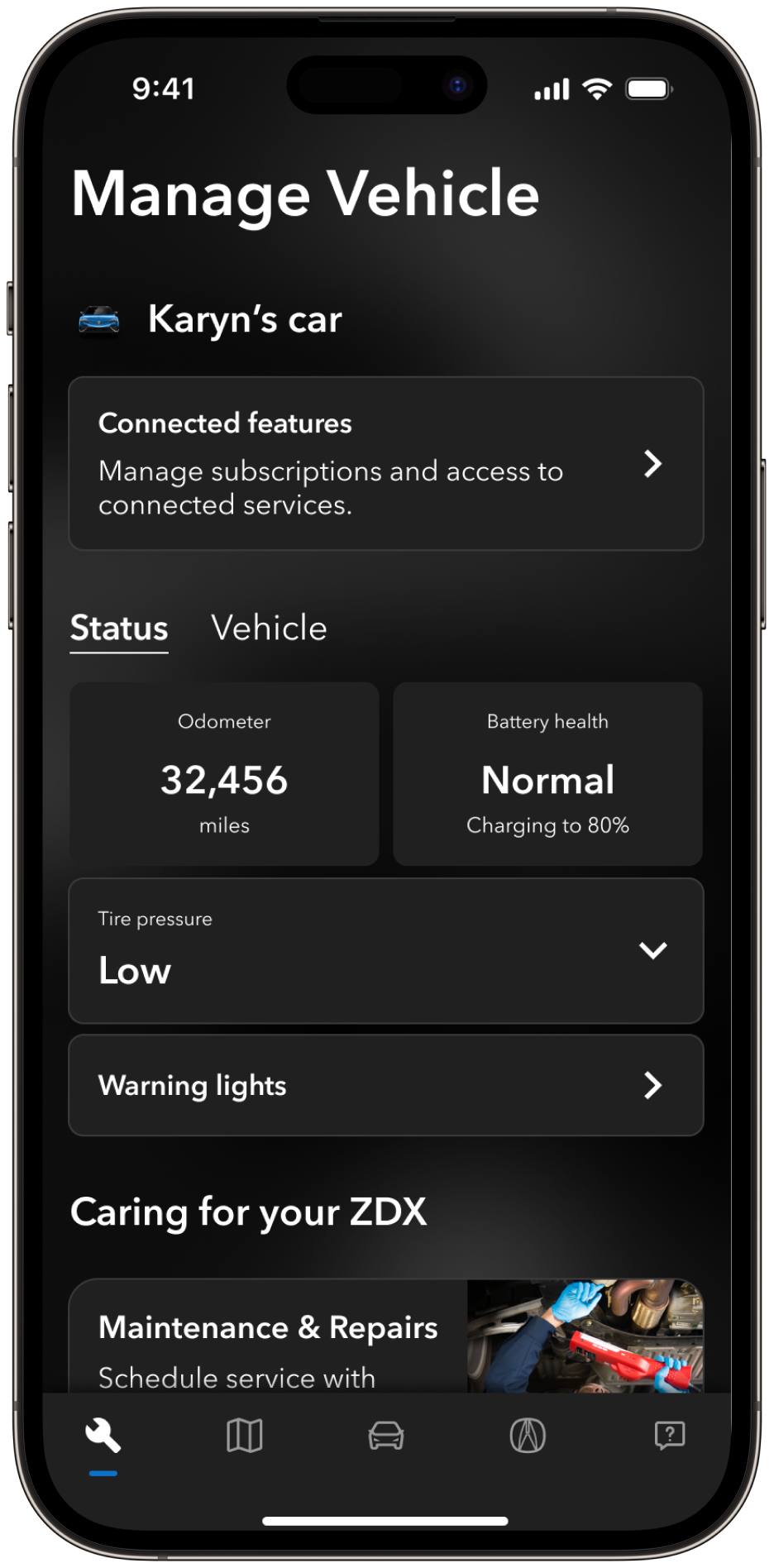
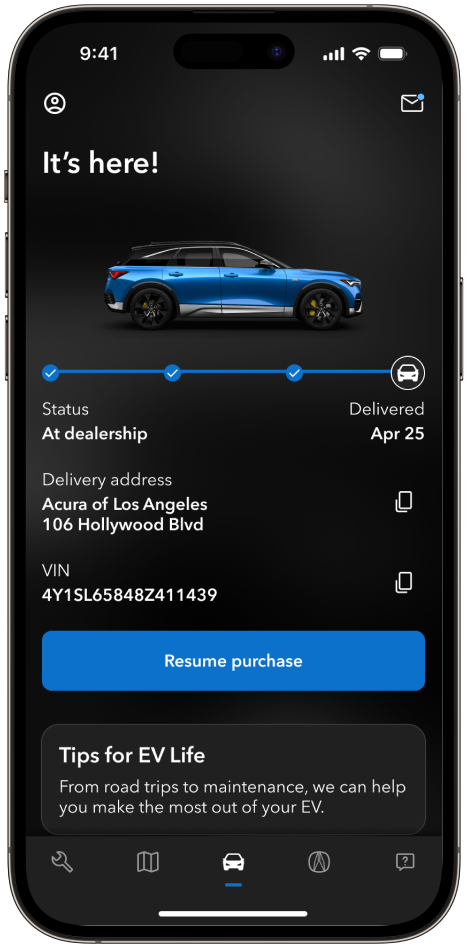
A look at a few of the 25+ features that shipped at launch.
01 / 04
Vehicle control & status
Commands for lock/unlock, locating the car, and monitoring warning lights.
How I led the team
Five designers, three researchers, two companies, one launch date. My job was to keep everyone building the same app.
One journey, one owner
Built for handoff
Daily alignment across two companies
Growing the team as we built
Steph did a fantastic job leading the development of UX/UI for the Acura EV app… helping turn around quick, beautiful, and straightforward UI screens, fully embodying UX best practices and guidelines.
Impact
- J.D. Power experience design
- 9.2/10
- 2.9K App Store ratings
- 4.0★
- New app, built for Acura's first EV
- 0 → 1
- Features at launch
- 25+
Metrics as of January 2026. J.D. Power OEM EV APP Report, 2025.
The overall app felt intuitive and easy to use… I feel like I understand the electric cars more and this app will help me learn about my car quickly. It makes me feel more comfortable with it versus overwhelmed.
Reflections
What I'd do differently
How I'd run this today with AI